
☕🤖Tutorial: Turn One Blog Post Into 30 Days of Social Content (All Platforms)
PLUS: check all prompts and resources to build this system...


Hey AI Breakers 👋
You spent hours writing a killer blog post → researched it, edited it, published it… then posted it once and moved on.
But that post still has 90% of its value trapped inside: insights, quotes, stats, frameworks → enough to fuel weeks of content. The real problem isn’t your content. It’s distribution.
Today, you’ll build an AI Content Multiplication Engine that turns one blog post into 30 days of platform-specific content: LinkedIn posts, X threads, Instagram carousels, quote ideas, and engagement hooks.
✅ 30-day calendar with specific dates
✅ 10 LinkedIn posts
✅ 10 X threads
✅ 10 Instagram carousel concepts (slide-by-slide)
✅ Platform-specific formatting
✅ Reusable system you can run in ~45 minutes
Let’s build it 👇

🧠 How the Content Multiplication Engine Works
The secret to sustainable content creation isn’t writing more, it’s extracting more from what you’ve already written.
This system breaks your blog post into atomic content units (insights, frameworks, quotes, stats, stories), then reassembles them into platform-native formats. Each piece of content serves a different purpose in your distribution strategy → some drive engagement, some educate, some convert.
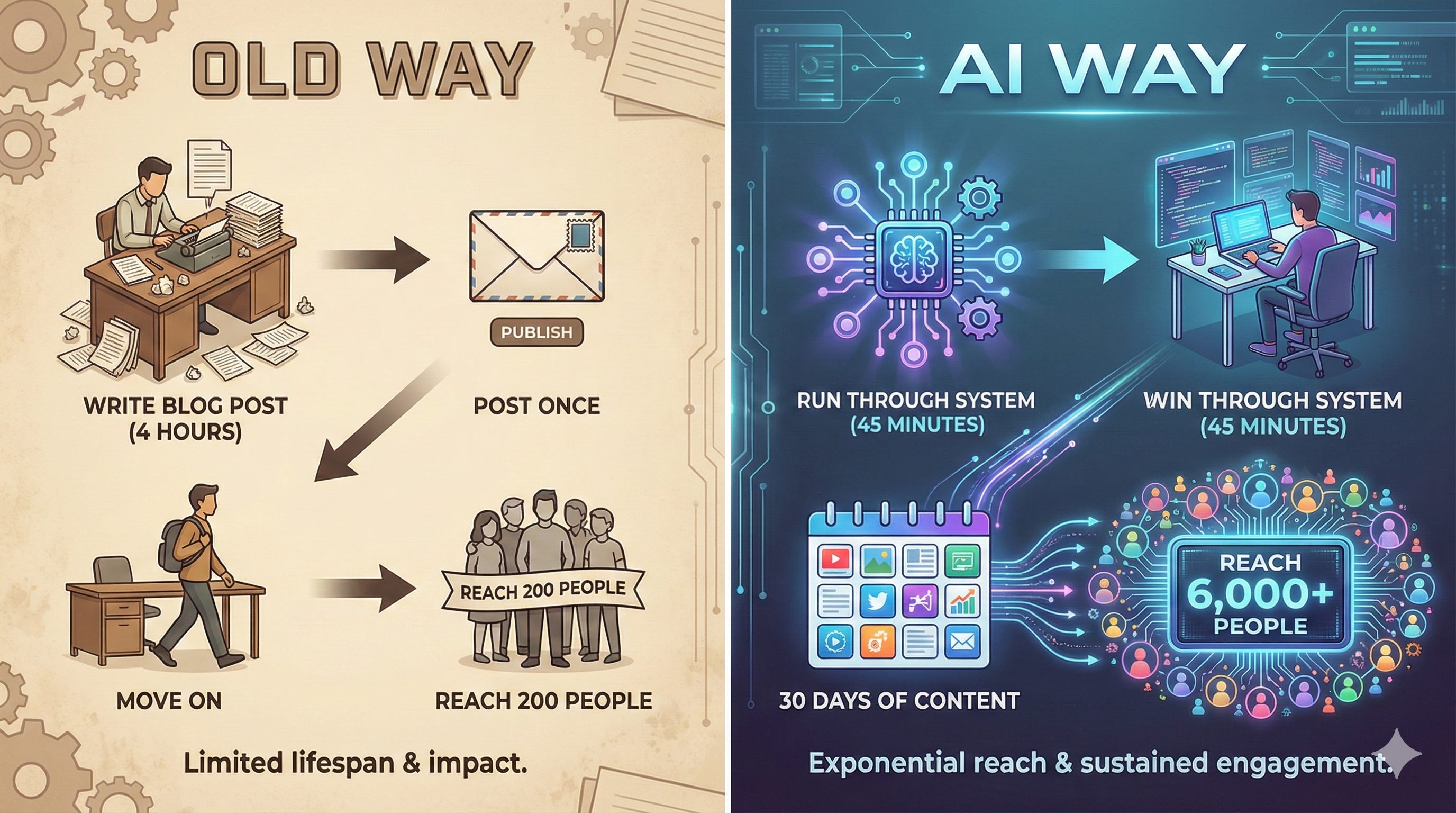
Old way: Write blog post (4 hours) → Post once → Move on → Reach 200 people
AI way: Write blog post (4 hours) → Run through system (45 minutes) → 30 days of content → Reach 6,000+ people
🔎 Prompt #1 → The Content Audit (Extract Every Valuable Insight)
Before you can repurpose, you need to know what you’re working with. This prompt dissects your blog post and identifies every piece of content worth sharing → the frameworks, the counterintuitive takes, the quotable moments.
You want the AI to:
Map out the core argument and supporting points
Flag high-engagement moments (controversial takes, surprising stats, frameworks)
Identify different content angles for different platforms
✅ Use this to understand which parts of your post have the most repurposing potential
Prompt:
You are a content strategist who specializes in identifying high-value insights for social media repurposing.

I'm going to give you a blog post. Your job is to audit it and extract every piece of content worth sharing on social media.

Here's the blog post:

[PASTE YOUR FULL BLOG POST]

Analyze this post and provide:

1. **Core Thesis** — What's the main argument in one sentence?

2. **Key Frameworks** — List any frameworks, processes, or step-by-step systems mentioned (these work great as carousels)

3. **Quotable Moments** — Pull 8-10 sentences or phrases that would work as standalone social posts (look for bold claims, counterintuitive takes, memorable phrases)

4. **Stats & Data Points** — List any numbers, statistics, or research findings

5. **Stories & Examples** — Identify any case studies, anecdotes, or real-world examples

6. **Controversial/Surprising Takes** — What would make someone stop scrolling? What challenges conventional wisdom?

7. **Actionable Takeaways** — List specific tactics or steps readers can implement

8. **Content Angles** — Suggest 5 different ways to approach this topic for different audience segments or pain points

Format everything as a structured list. Be thorough — I want to extract maximum value from this post.
💡 Tip: If your blog post is REALLY long (3,000+ words), break it into sections and run this prompt on each section separately. You’ll get more granular insights.
🧠 Prompt #2 → The Platform Strategy Map (Match Content to Channels)
Not every insight works on every platform. LinkedIn loves frameworks and professional stories. Twitter/X rewards hot takes and threads. Instagram needs visual concepts. This prompt maps your content to the right channels.
You want the AI to:
Assign each insight to the platform where it’ll perform best
Suggest content formats (carousel, thread, text post, poll)
Balance educational vs. engagement-focused content
✅ Use this to create a strategic distribution plan before you start writing posts
Prompt:
You are a social media strategist with deep expertise in platform-specific content performance.

Based on this content audit:

[PASTE OUTPUT FROM PROMPT #1]

Create a platform strategy map that assigns each insight to the best social channel(s).

For each platform, recommend:

**LINKEDIN (10 posts total):**
- Which insights work best here? (LinkedIn loves: frameworks, professional stories, data-driven posts, career advice)
- Suggest format for each: Text post, Carousel, Poll, or Video concept
- Note: LinkedIn rewards longer-form content (1,200-1,500 characters) and professional tone

**TWITTER/X (10 posts total):**
- Which insights work best here? (Twitter/X loves: hot takes, threads, contrarian opinions, quick tips)
- Suggest format for each: Single tweet, Thread (3-7 tweets), or Quote + commentary
- Note: Twitter/X rewards bold hooks and conversational tone

**INSTAGRAM (10 posts total):**
- Which insights work best here? (Instagram loves: visual frameworks, step-by-step guides, before/after, transformations)
- Suggest carousel concepts (each should be 5-8 slides)
- Note: Instagram is visual-first — every concept needs to work as slides

For each recommendation, explain WHY that insight fits that platform.

Aim for variety within each platform — mix educational posts with engagement-focused posts with conversion-focused posts.
🧠 Tip: If you only use 1-2 platforms, tell the AI to focus there and create 15 posts per platform instead of spreading across all three.
📝 Prompt #3 → The LinkedIn Content Generator (10 Posts Ready to Publish)
Now we start creating. This prompt writes your LinkedIn posts using the strategy map as a guide. Each post is formatted for LinkedIn’s algorithm → proper length, paragraph breaks, hook structure.
You want the AI to:
Write 10 complete LinkedIn posts in platform-native format
Include hooks that stop the scroll
Add strategic line breaks and emojis where appropriate
✅ Use this to fill your LinkedIn calendar for the next 2 weeks