
☕🤖 Tutorial: How To Turn 1 Image into 10 Cinematic Camera Shots with AI
PLUS: The exact prompts to copy-paste...


Hey AI Break fam 👋 Luis & Rui here.
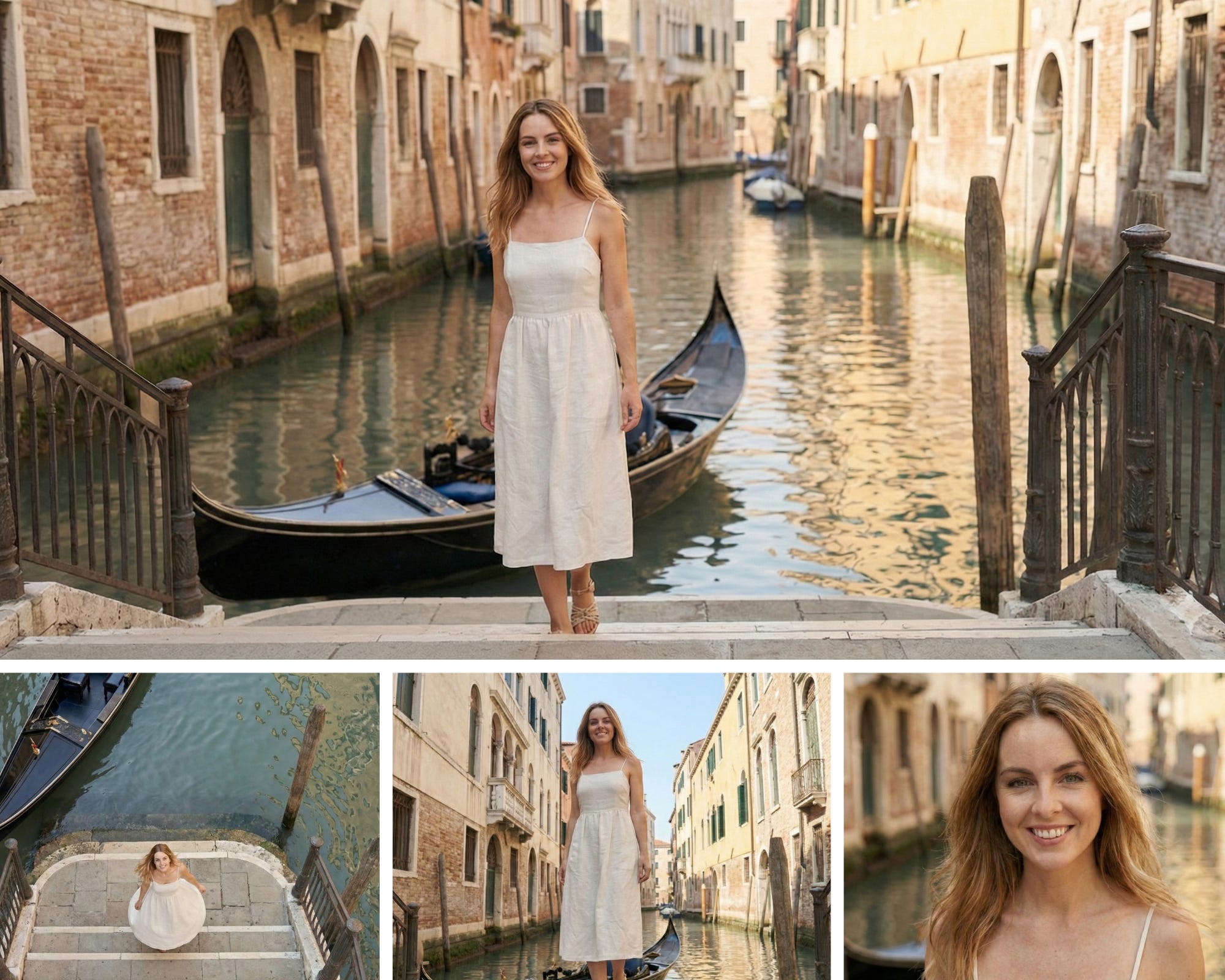
What if you could take a single reference image and turn it into 10 completely different camera angles - all while keeping the subject consistent?
That’s exactly what we’re doing today with Nano Banana Pro in Gemini.
Let’s do it in under 10 minutes.
What is Nano Banana Pro?
Nano Banana Pro is Google’s latest image generation model, built on Gemini 3 Pro.
What makes it perfect for this tutorial:
Mix up to 8 reference images in a single generation
Strong character/subject consistency across multiple images
Advanced camera angle and lighting controls
Note: Free users have limited generations. We’re using a paid Google account for this tutorial.
How to access Nano Banana Pro
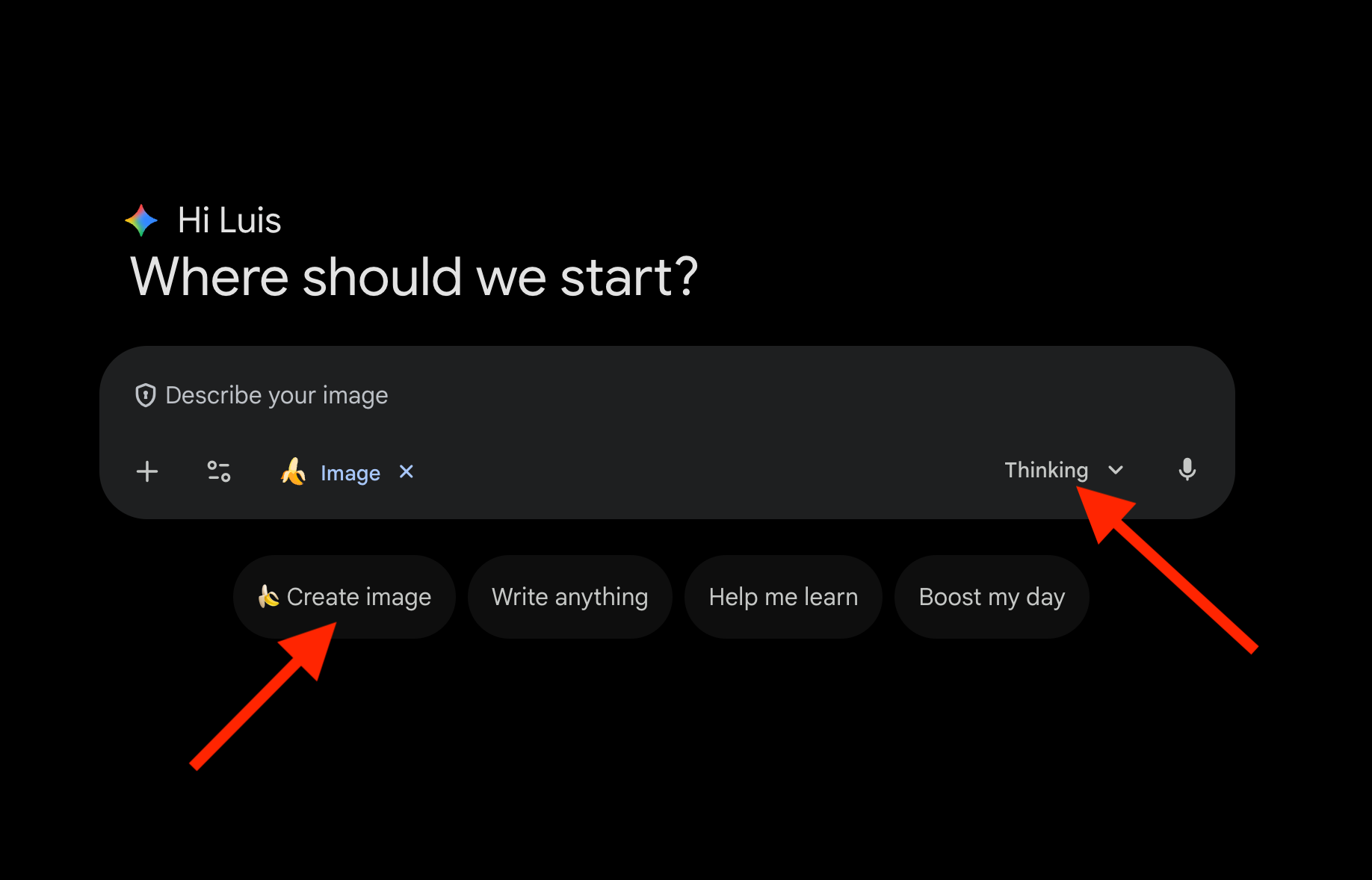
Go to gemini.google.com
Click “🍌 Create images” from the tools menu
Select “Thinking” from the model menu
That’s it. You’re now using Nano Banana Pro.
The 10 Camera Shots
Here are the shots we’ll create from a single reference image:
1. Wide/Establishing - Full scene with environment
2. Medium - Subject from waist up
3. Close-up - Face and shoulders
4. Extreme close-up - Specific detail (eyes, hands, object)
5. Low angle - Looking up at subject (powerful)
6. High angle - Looking down at subject (vulnerable)
7. Dutch angle - Tilted frame (tension/unease)
8. Over-the-shoulder - From behind, looking at scene
9. Profile - Side view of subject
10. Bird’s eye view - Directly from above
Step 1: Generate the 10 Camera Shot Prompts
Before creating any images, we need Gemini to write the prompts for each shot.
Upload your reference image and use this prompt:
I want to recreate the image attached into 10 different camera angles while keeping the subject, clothing, setting, and mood consistent.

Write me 10 detailed image generation prompts for the following camera shots:

1. Wide/Establishing shot - Full scene showing the environment
2. Medium shot - Subject from waist up
3. Close-up - Face and shoulders
4. Extreme close-up - A specific detail (eyes, hands, or key object)
5. Low angle - Camera looking up at the subject
6. High angle - Camera looking down at the subject
7. Dutch angle - Tilted frame for tension
8. Over-the-shoulder - From behind the subject looking at the scene
9. Profile shot - Side view of the subject
10. Bird's eye view - Directly from above

For each prompt, include:
- The exact camera angle and framing
- Subject description (appearance, clothing, pose)
- Setting and background details
- Lighting and mood
- Any specific details that should remain consistent

Make each prompt detailed enough to generate a consistent image.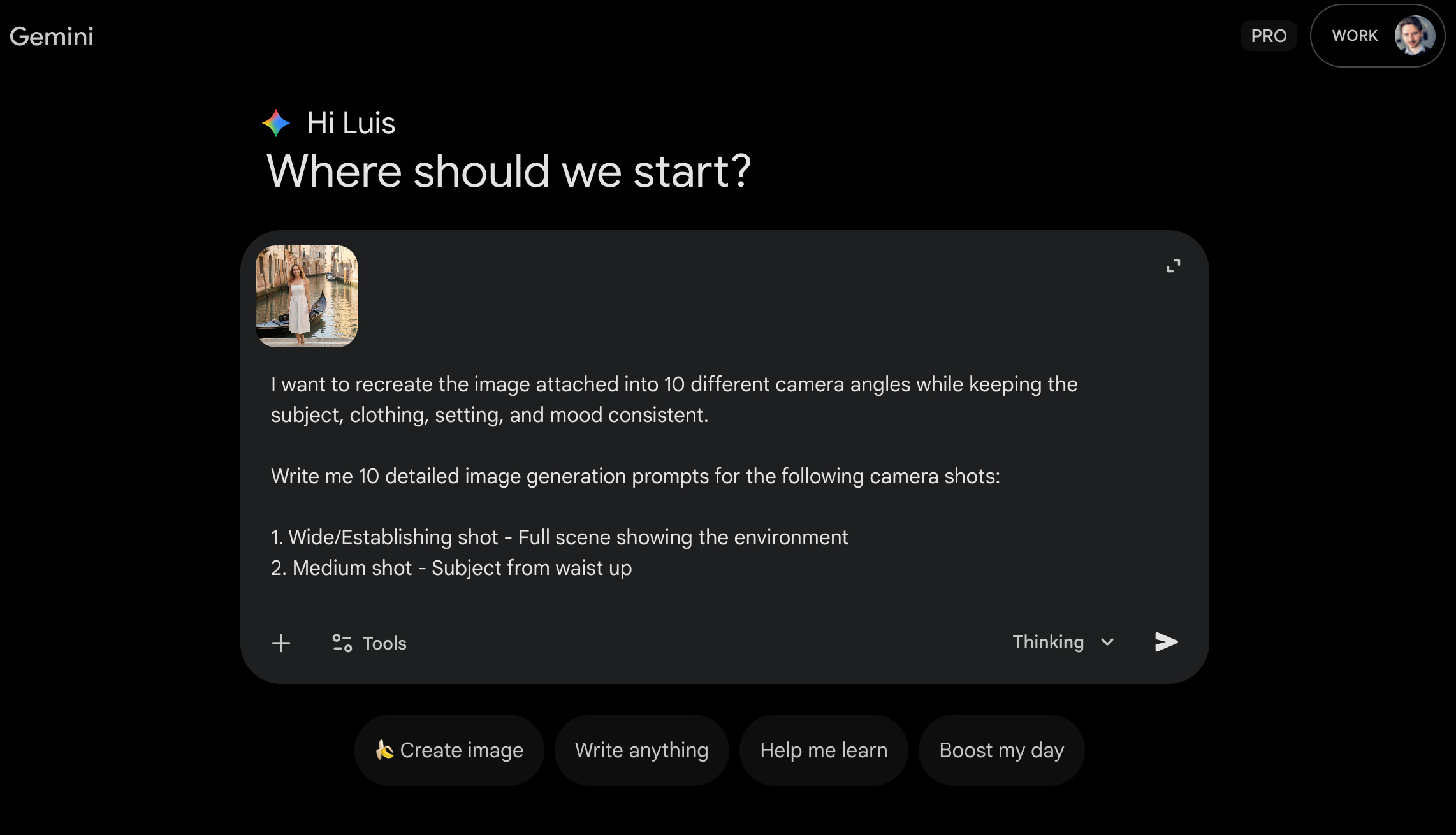
Gemini will output 10 ready-to-use prompts tailored to your specific image.
Step 2: Generate Shot by Shot (The Stacking Technique)
Here’s where the magic happens.