
☕🤖 Tutorial: How To Create UGC Videos With ChatGPT + Sora 2 (No Actors Needed)
PLUS: Step-by-step tutorial inside...


Hey AI Break fam 👋 Luis & Rui here.
UGC ads convert like crazy. But hiring creators? Expensive. Waiting for deliverables? Painful.
Today we’re showing you how to generate scroll-stopping UGC-style videos using just ChatGPT and Sora 2.
No actors. No filming. No editing skills required.
Let’s build your first AI-generated UGC video in under 10 minutes. (here is one example at first attempt)
Step 1: Prepare your product image
Before anything else, you need a clean product image.
What works best:
Product on a plain or simple background
Good lighting, no blur
Multiple angles if you have them (we’ll use these later)
Pro tip: If you have 3-5 images of your product from different angles, save them all. Sora performs better when it “understands” what your product looks like from multiple perspectives.
Step 2: Get a detailed product description from ChatGPT
Open ChatGPT (or Claude, or Gemini) and upload your product image.
Use this prompt:
Prompt 1: Product Analysis
I'm attaching an image of my product.

Product name: [YOUR PRODUCT NAME]
Product type: [CATEGORY - e.g., skincare, tech gadget, fitness equipment, food item]
Target audience: [WHO BUYS THIS - e.g., busy moms, fitness enthusiasts, remote workers]

Analyze this product image and give me:

1. A detailed visual description (colors, textures, size, packaging, key features visible)
2. The main benefit this product delivers
3. The emotional appeal (what feeling does owning/using this create?)
4. 3 scenarios where someone would use this product
5. 5 short, punchy phrases a real customer might say about this product (casual, authentic language - not marketing speak)

Be specific and detailed. I'll use this to generate UGC-style video content with dialogue.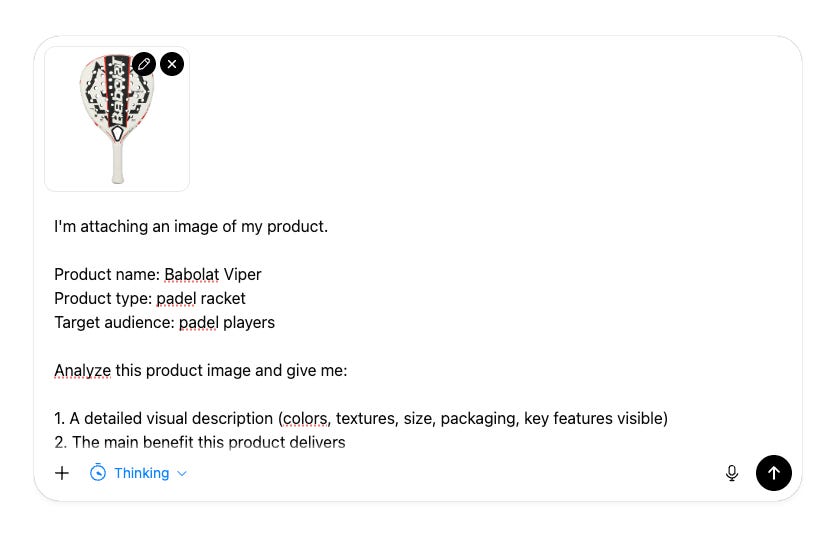
ChatGPT will now give you a rich breakdown of your product.
Important: Keep this chat open. You’ll continue in the same conversation for the next steps.
Step 3: Generate UGC video concepts
Now we need creative directions for our video ads. Different angles work for different audiences.
Use this prompt in the SAME chat:
Prompt 2: UGC Video Concepts Generator
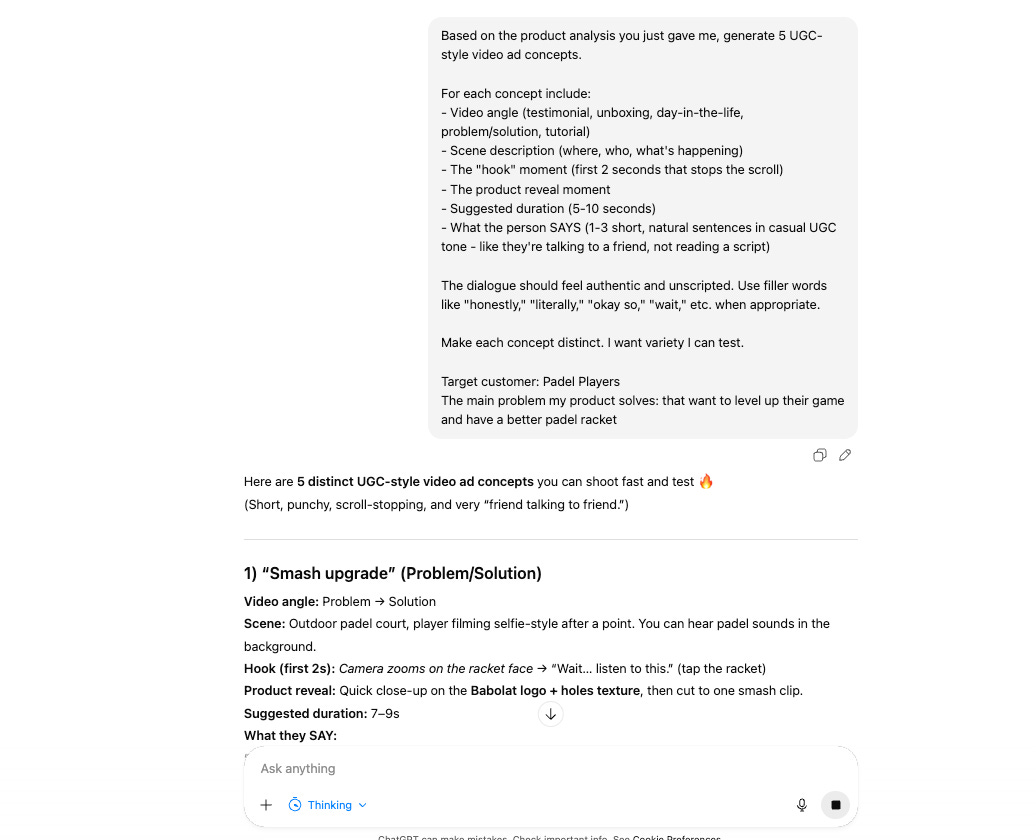
Based on the product analysis you just gave me, generate 5 UGC-style video ad concepts.

For each concept include:
- Video angle (testimonial, unboxing, day-in-the-life, problem/solution, tutorial)
- Scene description (where, who, what's happening)
- The "hook" moment (first 2 seconds that stops the scroll)
- The product reveal moment
- Suggested duration (5-10 seconds)
- What the person SAYS (1-3 short, natural sentences in casual UGC tone - like they're talking to a friend, not reading a script)

The dialogue should feel authentic and unscripted. Use filler words like "honestly," "literally," "okay so," "wait," etc. when appropriate.

Make each concept distinct. I want variety I can test.

Target customer: [YOUR IDEAL CUSTOMER]
The main problem my product solves: [THE PAIN POINT]
You’ll get 5 different creative directions. Pick the one that resonates most, or test all of them.
Step 4: Create your Sora 2 video prompt
Now we turn your chosen concept into a Sora-ready prompt with audio.
Use this prompt in the SAME chat:
Prompt 3: Sora 2 Prompt Writer